AI and Kids

Cracking the Code: How to Get Kids to Do Chores

Desi moms… I think we cracked the code on getting kids to do chores.

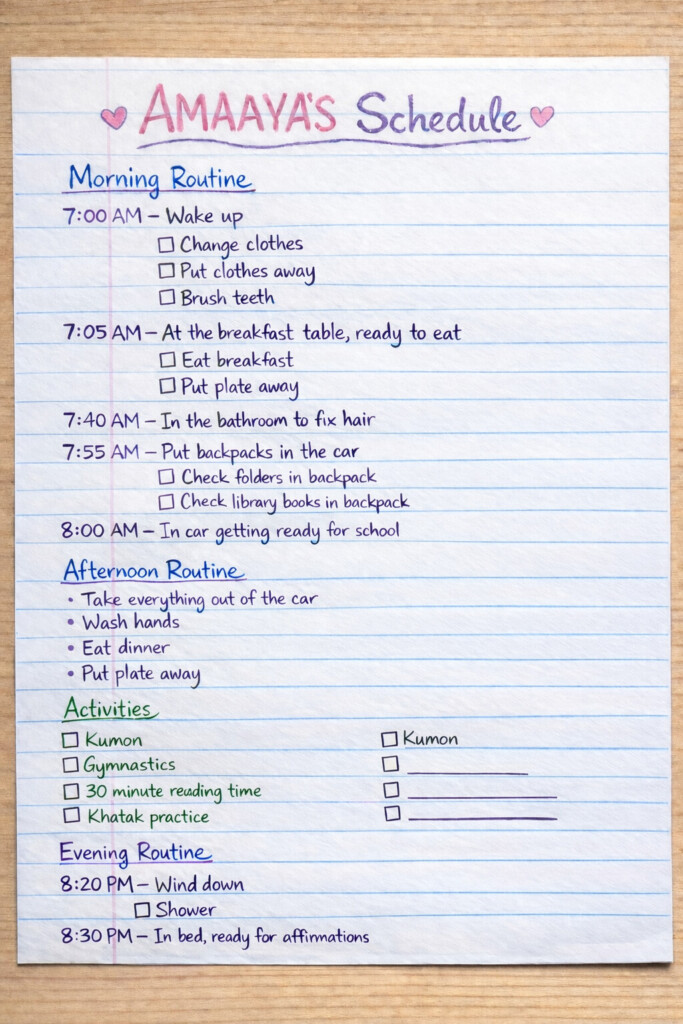
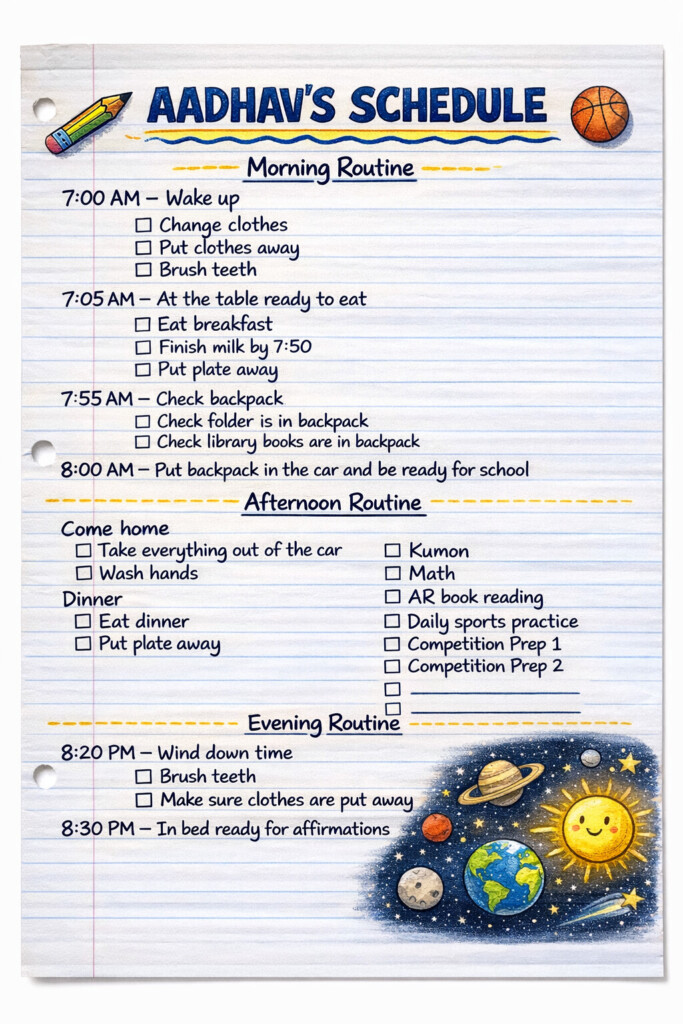
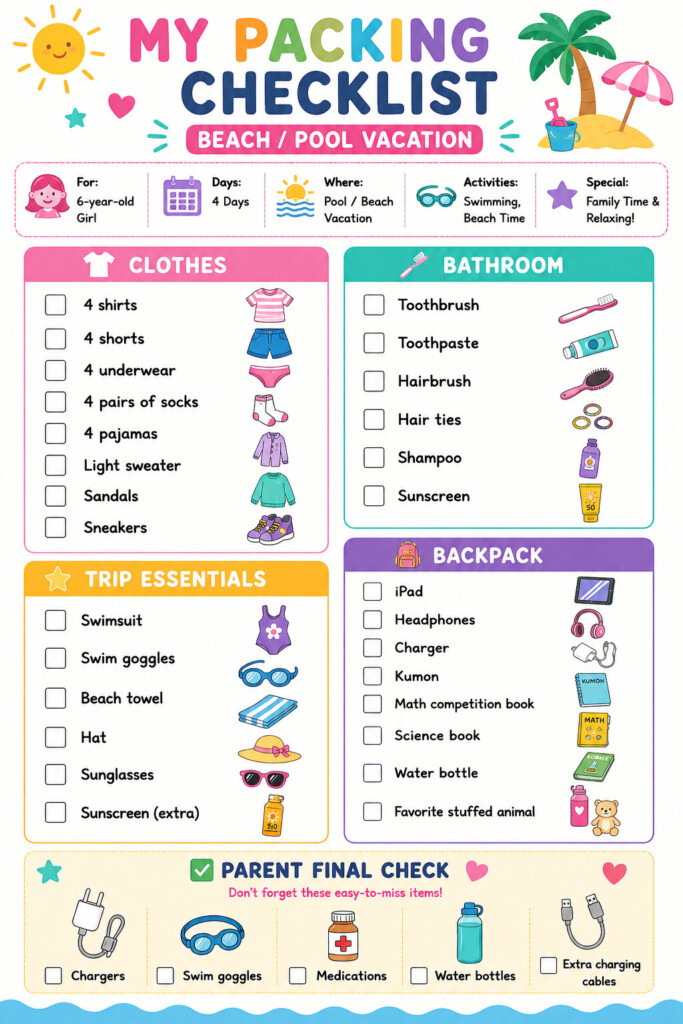
I used ChatGPT to create simple visual checklists that my kids can actually follow. These are simple, visual, and teach responsibility and accountably.

Here are the exact prompts I used.

Prompt 1: Create a Personalized Kids Daily Routine

Create a colorful, one-page printable daily routine for my child.

Child’s Info

  • Name:
  • Age:
  • School start time:
  • Bedtime:
  • Activities:
  • Interests:

Organize it into these sections:

  • Morning Routine
  • After School Routine
  • 📚 Activities
  • 🌙 Evening Routine

Include age-appropriate checklists with large checkboxes and simple icons.

Customize it to my child. Add routines that are unique to them, such as library books, homework folder, Kumon, reading, sports, dance, music lessons, chores, competition prep, or anything else that’s part of their day. If I provide times, include them. Leave a few blank checklist lines so I can add additional activities later.

Design Requirements

  • Bright, colorful, kid-friendly
  • Clean, modern layout
  • One printable page (8.5″ × 11″)
  • Large icons and checkboxes
  • Easy for elementary-aged kids to follow independently

Prompt 2: Create a Custom Kids Packing Checklist

Create a colorful, printable visual packing checklist for my child.

Child’s Information

  • Age:
  • Number of days:
  • Destination:
  • Weather:
  • Activities planned (pool, beach, hiking, sightseeing, camp, etc.):

Organize the checklist into these sections:

  • Clothes
  • Bathroom
  • Trip Essentials
  • Backpack

For each section, recommend age-appropriate items and quantities based on the length of the trip and planned activities.

Most importantly, customize the checklist for my child. Add any items that are unique to them, such as:

  • Homework or schoolwork
  • Kumon
  • Competition prep materials
  • Snacks
  • Any other items they’ll need for this specific trip

At the bottom, include a “Parent Final Check” section with commonly forgotten items like chargers, travel documents, medications, sunglasses, goggles, or anything else parents often forget.

Design requirements:

  • Bright, colorful, kid-friendly design
  • Large icons or illustrations for each section
  • Checkboxes next to every item
  • Easy for elementary-aged kids to follow independently
  • Clean, modern layout that fits on one printable page (8.5 x 11)
  • Make it look like a fun checklist that encourages kids to pack on their own

Add a “Parent Final Check” section at the bottom with the things parents usually forget.

Make it colorful, easy for kids to follow, printable on one page, with large icons and checkboxes.


One tip: If you just want the checklist, the free version of ChatGPT works great. If you want it turned into a visual with icons and a printable layout like mine, you’ll need a version that supports image generation.

I’m adding screenshots of ours below so you can see how they turned out.
Join the Conversation

Follow Along
Did you know this Costco $$$ Saving hack?!!!

I just learned about this hack and I’ve gotten $240 cash back from Costco from items we’ve already bought!: $24 from the kiwis, $140 for a patio umbrella, $76 for outdoor lights! 

Let me know if you try this and if you get cash back?!

And welcome back to another episode of Unhinged Ambitious Mom Hacks on a Budget
 I’m sharing a Costco hack for buying Gold in an upcoming reel that also gets you money back!
Save yourself an hour! 

Connect Claude to your Google Calendar (it’s a one-time setup), then say:

Here’s our school’s calendar for the year — add all of these to my calendar with the correct dates and times.

Upload a photo or PDF of the schedule and it drops every event straight in. No links, no exporting, no uploading files yourself.

Welcome to another episode of Unhinged AI hacks for busy moms -

Sharing a hack on how to organize all the photos on your phone from these school events next! 

Have you tried this?! And I want to know if there’s anything I’m missing?!!
Save yourself an hour! 

Connect Claude to your Google Calendar (it’s a one-time setup), then say:

Here’s our school’s calendar for the year — add all of these to my calendar with the correct dates and times.

Upload a photo or PDF of the schedule and it drops every event straight in. No links, no exporting, no uploading files yourself.

Welcome to another episode of Unhinged AI hacks for busy moms -

Sharing a hack on how to organize all the photos on your phone from these school events next! 

Have you tried this?! And I want to know if there’s anything I’m missing
The easiest way to pack your kids’ lunch using AI! 

Welcome back to my series: Unhinged Ambitious Mom Hacks on a Budget

Part 2: I’ll be sharing these same menus / planners but for breakfast and dinner!

Like & Comment LUNCHBOX MENU and I’ll send you the link to this lunch planner/download, how to customize it using AI, plus the supplies to turn it into this fun menu!
Missed your Amazon Return window? I’ve got you. 

Welcome to Episode 2 of Unhinged Mom Hacks on a Budget.

1) Call Amazon’s customer service number
2) Make sure you get the call center in India
3) Give them a valid reason on why you missed your return window - and share if this works for you in the comments!

I have another Amazon Return hack that I’m sharing next follow for Part 2!
The easiest way to pack your kids’ lunch using AI! 

Welcome back to my series: Unhinged Ambitious Mom Hacks on a Budget

Part 2: I’ll be sharing these same menus / planners but for breakfast and dinner!

Like & Comment LUNCH MENU and I’ll send you the link to this lunch planner/download, how to customize it using AI, plus the supplies to turn it into this fun menu!